This 'unofficial' Forum is dedicated to the Clavia Nord Keyboards, including the Nord Stage, Nord Electro and Nord Piano. Discuss any issues around Nord's keyboards, share your favorite patches, samples, and music. We are not affiliated with Clavia!
Depending on which effect you are using you can switch it on and of by pressing Shift and the source button of the SPKR / COMP section or the lower button below the of the organ's Rotary section, doesn't it?
Edit: mistake wiped out as per Max's feedback
Last edited by Schorsch on 17 Oct 2022, 15:01, edited 5 times in total.
maxpiano wrote:Well the real solution is to play the keys and not the buttons on the panel anyway you can turn it off again if it accidentally happens, why are you saying you can't?
In general, unless the problem is the Rotary switch having become too sensitive and triggering with vibration (which would require replacing or fixing it) but also in that case, the workaround of assigning the Speaker/comp effect to a section not in use is a good one or even better, if all sections are in use, you can also assign it as Comp set at minimum, so that the Slow/Stop- Fast button will become inactive.
Where do you turn it off? I couldn’t find anything in the manual and have no idea how. The maximum that you can do is stop the rotary, but the effect is still on and quite audible.
As Schorsch wrote (without Shift actually) and as explained in the manual at the beginning of the Effects chapter:
ACTIVATING EFFECTS
To enable an effect, press its ON/OFF button.
The Leds above the button indicate which sound engine the effect is assigned to; O = organ, P = Piano and S = sample synth.
Press SOURCE (shift + on/off) to change the sound engine assignment.
(Source can also be changed by double-clicking the Source button)
Last edited by maxpiano on 17 Oct 2022, 14:48, edited 3 times in total.
These users thanked the author maxpiano for the post:
Thanks a lot, that worked. Quite complicated if you ask me that you have to hit a different button to turn it off. Wish that Nord would change the logic that the effect always engages the active sound on the most left. It should be standard for organ and only if you want to apply it to other sounds you have to switch it via the shift key. What do you think?
dizcotec wrote:Thanks a lot, that worked. Quite complicated if you ask me that you have to hit a different button to turn it off. Wish that Nord would change the logic that the effect always engages the active sound on the most left. It should be standard for organ and only if you want to apply it to other sounds you have to switch it via the shift key. What do you think?
What you ask is what you can set in each program/live buffer yourself: you can pre-program the AmpSim/Comp as Rotary on Organ an leave it inactive (off) so that when you will switch it on it will automatically start as Rotary on Organ.
Others may want it differently (e.g. always activate it on the right part of a split) so the current behaviour leaves each user the opportunity to set it as preferred (i.e. you define your own "default"), which I find a good choice by Nord.
Last edited by maxpiano on 18 Oct 2022, 11:32, edited 1 time in total.
dizcotec wrote:Thanks a lot, that worked. Quite complicated if you ask me that you have to hit a different button to turn it off. Wish that Nord would change the logic that the effect always engages the active sound on the most left. It should be standard for organ and only if you want to apply it to other sounds you have to switch it via the shift key. What do you think?
What you ask is what you can set in each program/live buffer yourself: you can pre-program the AmpSim/Comp as Rotary on Organ an leave it inactive (off) so that when you will switch it on it will automatically start as Rotary on Organ.
Others may want it differently (e.g. always activate it on the right part of a split) so the current behaviour leaves each user the opportunity to set it as preferred (i.e. you define your own "default"), which I find a good choice by Nord.
I hear what you’re saying. I absolutely like the flexibility too and wouldn’t want to loose it. All I’m saying is that such a distinct effect as rotary should start on organ where I would assume it get’s used 80-90% of the time. It is also unfortunate on the Electro that if I do what you suggested, I loose the option of the compressor for the piano. All of this is not an issue with the Stage where I have more options.
Yes, some people say that, due to those limitations, NE is actually a teaser to make you buy a NS3 (but, seriously, this is true only if you have demanding multitimbral needs, otherwise NE is quite a capable instrument by itself)
Anyway if you use the PROG INIT function and select Organ as init mode, you get all effects pre-set to Organ as source (see manual, all info you need to master your NE6 is there).
Last edited by maxpiano on 18 Oct 2022, 12:14, edited 2 times in total.
Max do you have a Stage 3 now? I must have missed this... I was left at when you said you had no Nord currently... well complimenti! which version is that?
Hlaalu wrote:Max do you have a Stage 3 now? I must have missed this... I was left at when you said you had no Nord currently... well complimenti! which version is that?
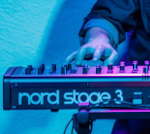
Yes I got a NS3 Compact more or less 2 months ago, I casually found an ad for a used rev B v2.1 (reasonable price, in mint conditions and in my region) so I decided to sell the N6D 73 I had just bought 1 month before and get back to a NS
Last edited by maxpiano on 18 Oct 2022, 16:02, edited 4 times in total.
These users thanked the author maxpiano for the post (total 2):




anyway you can turn it off again if it accidentally happens, why are you saying you can't?

 (but, seriously, this is true only if you have demanding multitimbral needs, otherwise NE is quite a capable instrument by itself)
 I must have missed this... I was left at when you said you had no Nord currently... well complimenti!