

Hi all,
First I want to start by saying I'm not complaining. I'm very blessed to have the gear that I have but I don't think its all the right fit and I'm looking for some advice.
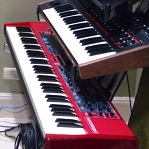
I've got a Nord Stage 2 (HA76) which I absolutely love. I love the sound, the power and the live adaptability that if offers. I have never loved playing a keyboard as much as I do the NS2. It is primarily used for a lot of piano and organ type sound and some real low end synth stuff. The best thing about it is the ability to manipulate things live in a very quick and easy way. Also the layout of both the software that allows fairly quick changes and the live settings which I can use for probably 50% of what I like to play.
My secondary keyboard is currently an MOX6. I really love most everything about it. The keys feel great for what it is, the choice of voices is really quite good. I use it primarily for strings, brass and most of the secondary stuff that I need. I also use some MIDI to it to blend. It is a really nice keyboard.
The issue I have with the MOX6 is that it is a pain trying to change anything. On the NS2 you can replace a single voice and arrange voices in any way you want. Most of the additional voices available on the MOX6 blast your "favorites" and wipe out an entire bank of sounds.
I'm looking for suggestions for a replacement to the MOX6 that offers a bit more of a performance machine like the Stage rather than a workstation. I'd also like to diversify a bit voicewise and not necessarily have another Nord in the rig. My preference would be more toward 61 key setup.
Any suggestions as to what to look at?
Right second keyboard choice?
Right second keyboard choice?
-Dave
[Nord Stage 3] [Nord Lead A1] [Novation Peak 8] [Deluge] [Cobalt8M] [Base Station II] [PolyBrute] [Subsequent 37]
[Nord Stage 3] [Nord Lead A1] [Novation Peak 8] [Deluge] [Cobalt8M] [Base Station II] [PolyBrute] [Subsequent 37]
-
Gustavo
- Patch Creator
- Posts: 801
- Joined: 05 Apr 2009, 18:00
- 16
- Your Nord Gear #1: Nord Stage Classic
- Your Nord Gear #2: Nord Stage 2
- Location: Monterrey, MX
- Has thanked: 142 times
- Been thanked: 167 times

Re: Right second keyboard choice?
If I understand well this is what you want:
-Ability to tweak instantly and good user interface
-Bread and butter sounds: brass, strings, things the NS2 does not do all that well
Since you do not want a workstation type of keyboard, I think that only the Jupiter 50 or 80 fits the bill. For me the Jupiter seems very useful for emulating acoustic instruments that are not keyboard based. Another option that sounds quite good but I believe the UI is not so friendly is the Kurzweil PC3LE6
It also depends greatly on your budget. Maybe a Kronos 61 could solve your "problem" but that one is more expensive. Even a Jupiter 50 may be somewhat restrictive for some people. In the case you want something "cheap" that has a better user interface, I'd recommend the Korg Krome, I played it the other day and the UI is very friendly and easy to understand. The color touchscreen and improved resolution does make it easier to use than the Korg M50.
Saludos,
Gustavo
-Ability to tweak instantly and good user interface
-Bread and butter sounds: brass, strings, things the NS2 does not do all that well
Since you do not want a workstation type of keyboard, I think that only the Jupiter 50 or 80 fits the bill. For me the Jupiter seems very useful for emulating acoustic instruments that are not keyboard based. Another option that sounds quite good but I believe the UI is not so friendly is the Kurzweil PC3LE6
It also depends greatly on your budget. Maybe a Kronos 61 could solve your "problem" but that one is more expensive. Even a Jupiter 50 may be somewhat restrictive for some people. In the case you want something "cheap" that has a better user interface, I'd recommend the Korg Krome, I played it the other day and the UI is very friendly and easy to understand. The color touchscreen and improved resolution does make it easier to use than the Korg M50.
Saludos,
Gustavo
Synths: Nord Stage 2 SW, Nord Lead 4R, Vintage Vibe 64 Active, Dave Smith Instruments Pro 2, Minimoog Voyager, Prophet 6, Korg Volcas
Stand: K&M Spider Pro and Hercules X Stands
Recording: Zoom UAC-8
Speakers: EV ELXP 112-P, Event Alp 5
Stand: K&M Spider Pro and Hercules X Stands
Recording: Zoom UAC-8
Speakers: EV ELXP 112-P, Event Alp 5
-
RedLeo
- Patch Creator
- Posts: 1558
- Joined: 07 Aug 2011, 02:08
- 14
- Has thanked: 140 times
- Been thanked: 703 times
Re: Right second keyboard choice?
To be honest, I think you'll struggle to find anything in a workstation or other sample-based synth that really works like you'd want it to. The Yamahas are notoriously a pain to operate, but the user interfaces on most brands work in a broadly similar way. The Korgs - Tritons and Kronos - are often said to be easier to operate than most. I have a Triton Extreme, and although the UI is good for a workstation, nevertheless it is still a complex web of menu-after-menu-after-menu.
Simply put, these types of synths have so many parameters to edit that it is not really possible to give them a Nord-style interface - the front panel would be the size of a door. That is one of the things about the Nords, they really make everything else look so clumsy by comparison - at the cost of giving you a limited set of features to edit.
Your options include:
Using a computer editor if possible, as some of these have better layouts than the instrument's front panel.
Using a different type of synth - but this might not give you the sample-based sounds it seems you need.
Using a synth that will give you a simpler front panel at the expense of having a limited feature set, like an MX49 or MX61.
One possible option could be the new and much-admired Casio Privia Pro PX-5S, but that has a full 88 note kbd (although it is *very* light for its size).
Although I am not familiar with the MOX6, I am very surprised that it can only load banks of sounds and not single patches (or voices, or whatever).
Simply put, these types of synths have so many parameters to edit that it is not really possible to give them a Nord-style interface - the front panel would be the size of a door. That is one of the things about the Nords, they really make everything else look so clumsy by comparison - at the cost of giving you a limited set of features to edit.
Your options include:
Using a computer editor if possible, as some of these have better layouts than the instrument's front panel.
Using a different type of synth - but this might not give you the sample-based sounds it seems you need.
Using a synth that will give you a simpler front panel at the expense of having a limited feature set, like an MX49 or MX61.
One possible option could be the new and much-admired Casio Privia Pro PX-5S, but that has a full 88 note kbd (although it is *very* light for its size).
Although I am not familiar with the MOX6, I am very surprised that it can only load banks of sounds and not single patches (or voices, or whatever).
-
anotherscott
- Posts: 3561
- Joined: 07 Jan 2011, 04:50
- 15
- Has thanked: 55 times
- Been thanked: 1128 times
Re: Right second keyboard choice?
From the particular problem you're mentioning, it sounds like you're talking about loading in optional sound libraries (which often are set to automatically load themselves as a set into the first user bank, which is often where you may have your favorites). Managing Voices on the MOX is a bit of a pain, but you can buy John Melas' Total Librarian http://www.jmelas.gr/motif/lib.php which I think will give you the same kind of functionality you're used to from the Nord Sound Manager, and should pretty much alleviate that problem. (You can download a free demo.)e8ndave wrote:The issue I have with the MOX6 is that it is a pain trying to change anything. On the NS2 you can replace a single voice and arrange voices in any way you want. Most of the additional voices available on the MOX6 blast your "favorites" and wipe out an entire bank of sounds.
But also, when you're comparing to other keyboards, most of them don't have this issue, in part because most of them don't have alternate libraries of sounds that you can load in the first place! That is, there are no alternate voice banks to load into an MX or Krome, so over-writing existing voices isn't an issue. There are new sounds you can load into a Jupiter, and managing that has been even more of a bane to Jupiter users than the Yamaha situation is to Yamaha users.
So in a way, you could stick with the MOX and just use its stock voices and your own programmed sounds, and be no "worse off" than many other keyboards where that is pretty much all you can do anyway. Or you could download that librarian and more easily work with the third party sound libraries as well.
One thing I like about the combination of the MOX and NS2 is that Yamaha's Master mode actually provides better Nord patch selection than the Nord does for itself. From the NS2's front panel, you have single-button access to 5 stored programs, each of which can also call up MOX sounds (via the Nord's EXT function). But if you do it the other way, from the MOX's front panel, you have single button access to 16 stored programs, each of which can also call up Nord sounds... plus you can hit a button and see the NAMES of the 16 stored programs before calling one up. (And if you navigate to the next bank of 16 buttons, you again can hit a button to see what is then assigned to those 16 buttons, and so on.) I think banks of 16 buttons with names is more useful than banks of 5 buttons without! But you still do have to give some thought to either programming the needed combinations of Nord and Yamaha sounds into those single buttons, or maybe dedicating some buttons to Yamaha sounds and some to Nord sounds, and then hitting buttons accordingly.
- These users thanked the author anotherscott for the post:
- e8ndave
-
ebladinieres
- Posts: 21
- Joined: 20 Apr 2013, 04:46
- 12
- Your Nord Gear #1: Nord Stage 2
- Your Nord Gear #2: Nord Piano 2
- Has thanked: 13 times
- Been thanked: 7 times
Re: Right second keyboard choice?
You could use a laptop with Komplete, open Kontakt as "stand alone" and control it from your nord stage 2 with the extern section. It's really nice and is easier to layer sounds from the NS and your module or laptop. Or maybe use your MOX as a controller too. This way you could have a fairly easy to use UI, make splits or whatever you may need, and you can upgrade it and get new sound easily when you need them, instead of buying a new keyboard.
Nord Stage 2,Nord stage ex,Nord Lead 2x,Prophet 08,Moog Voyager,Little Phatty Moog,Korg Ms 10,Korg BX3, Oberheim Matrix 1000,Kawai K3m
-
mhorspool
- Posts: 54
- Joined: 26 Jun 2012, 16:50
- 13
- Your Nord Gear #1: Nord Stage 2
- Location: Coventry
- Has thanked: 1 time
- Been thanked: 9 times
- Contact:

Re: Right second keyboard choice?
What about the Roland V-Combo VR-09? I haven't had chance to play it yet so it could well just be a toy, but the sound demos on Youtube don't sound half bad!
-
anotherscott
- Posts: 3561
- Joined: 07 Jan 2011, 04:50
- 15
- Has thanked: 55 times
- Been thanked: 1128 times
Re: Right second keyboard choice?
The VR-09 seems like a nice board, but I'm not sure it brings very much to the table that isn't matched or exceeded by the NS2.