Page 1 of 1
Systematic Approach for Nord E-Pianos
Posted: 21 Aug 2024, 17:10
by zoot-allures
The Factory Presets have names like Bright Ideal EP or Dark Matter Mk1. So in some cases you know that the preset it based on a Mark 1 Modell in other you don't know. I am looking for a way to systematically go through the available E-Pianos in the Nord Stage 4. I know that I could start with any Preset and just choose the Samples of the available Modells, but this wouldn't include the available Presets for a certain Modell. So what would be the best approach to do that?
Re: Systematic Approach for Nord E-Pianos
Posted: 21 Aug 2024, 17:20
by ericL
The presets are just edits to effects and other settings, based on whichever piano/EP sample is loaded into the program.
If you want to experience each EP to decide what you like, I'd suggest either initializing that section and playing the EP samples in raw form. Or you could find a preset you like and toggling through the various EPs. You'll want to compare with the piano library on Nord's site to check out anything that may not be loaded in your instrument. It's easy to download and replace various samples.
Re: Systematic Approach for Nord E-Pianos
Posted: 22 Aug 2024, 11:04
by zoot-allures
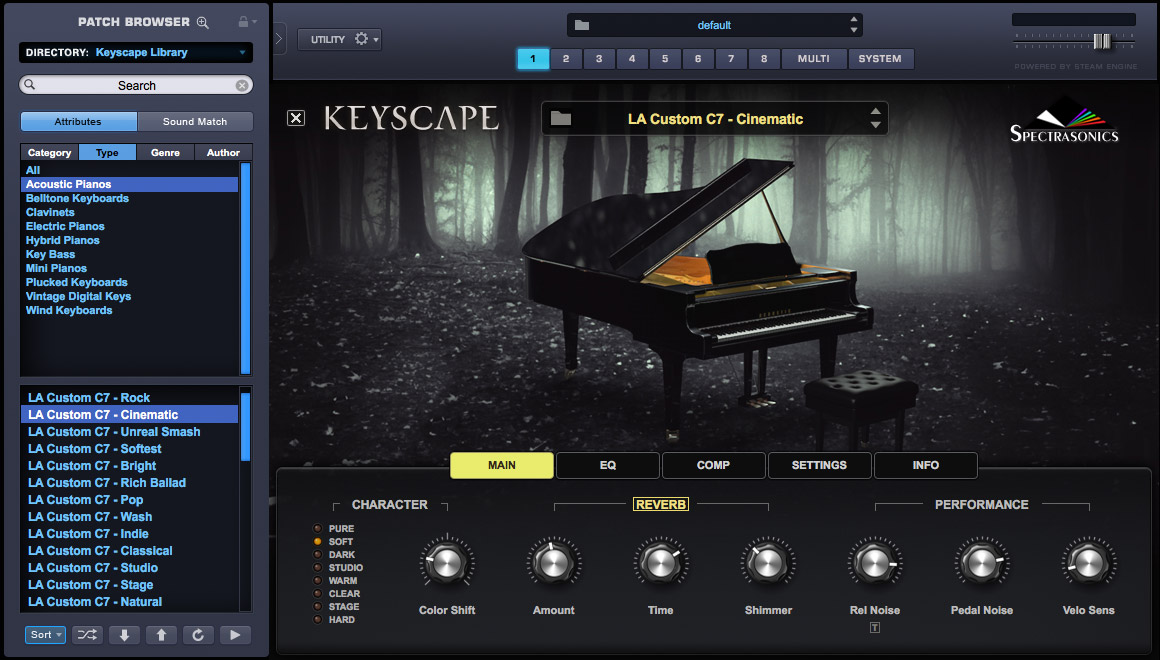
OK, understood. I just would like to have a Program for every Preset Variation like for example in Keyscape. That's what I would call a systematic approach.
Re: Systematic Approach for Nord E-Pianos
Posted: 22 Aug 2024, 15:20
by Kaffimusic
Open the content of your instrument in the Nord program manager and check which sample each program uses. Then you can easily shove them around and put the same type all together in a row, so you can listen to each one after the other.
There are not many variantions to do with pianos, since there is no synth engine with envelopes, filters, etc. It is basically a naked sample player with minor influences through EQing and velocity control. The biggest difference will occur when different and drastic FX are applied.
Re: Systematic Approach for Nord E-Pianos
Posted: 22 Aug 2024, 17:04
by ericL
zoot-allures wrote: 22 Aug 2024, 11:04
OK, understood. I just would like to have a Program for every Preset Variation like for example in Keyscape. That's what I would call a systematic approach.
I am unfamiliar with Keyscape. It appears that for each sample, they have built a bunch of different treatments/presets around the sample and they can copy/paste those by sample. Nord's approach with presets isn't quite the same. They don't create endless presets related to each individual sample. I believe that's probably a difference in approach between software based pianos in a computer and hardware based pianos in an instrument.
If you want to hear what each Nord sample sounds like inside of a certain effects ecosystem, simply toggle through the samples and listen to them, tweak effects, etc. You'll figure out which sounds are best to your ears.
Re: Systematic Approach for Nord E-Pianos
Posted: 22 Aug 2024, 17:31
by FZiegler
I remember, 4 years ago, when I was new to the Nord sounds, I planned to work through all factory programs - APs, EPs and synths. I kept all the programs in the memory, but after 4 years I can say it was in vain.
I never did this maybe systematic work. Instead, I learned to handle my Nord Stage the way it'll probably be meant to: Start with a sampled raw instrument, try to shape the sound with velocity, piano EQ and global EQ and add effects according to your liking (including drive and amp modelling). All you need as a starting point is a sound in your mind. Therefore, actively train your ear and your imagination. That's what my systematic approach got like. There are no spreadsheets and tables in that system, though - nothing you could pass to someone else.
Re: Systematic Approach for Nord E-Pianos
Posted: 22 Aug 2024, 19:32
by ajstan
If you open up NSM, select the "Piano" tab to show the piano samples, and click the "Info" button, the right pane will show all of the programs that use the selected piano sample.
Currently, you just see a non-clickable list of programs in the Info pane, so you would have to write down the program numbers/names and manually group them yourself. I think a good NSM enhancement would be to make the program list in the Info pane to be clickable so you can audition the sounds associated with each sample on your Nord. The same goes for the synth samples.