Page 2 of 3
Re: RE: Two Samples Within One Preset
Posted: 21 Jun 2022, 19:46
by monsterjazzlicks
WannitBBBad wrote:I found this in the online manual:
ADJUSTING ZONE RANGE AND ADJUSTING ROOT KEYS
To adjust the keyboard range for a zone, drag its left or right boundary handle. Zones can be detached by right-clicking on a handle and selecting “Detach”. Keys between the detached zones will become silent, not playing any sample at all.
That's great!
Is this in relation to the NSE4, or a previous s/w version, please?
Cheers.
Re: RE: Two Samples Within One Preset
Posted: 21 Jun 2022, 20:08
by Elias
monsterjazzlicks wrote:So should I just d/l an earlier version of the NSE (say NSE3) and use that instead? Also, is it OK to have two DIFFERENT versions of the NSE on one PC?
You're probably better of just exporting a 1 second long silent .wav file and using that for silent zones. Simply take whatever short bit in a DAW project, change level to -inf db, and export it as wav.
Re: RE: Two Samples Within One Preset
Posted: 21 Jun 2022, 20:13
by monsterjazzlicks
Hi Elias,
Does that mean: "negative infinity decibel"?
I have never heard of that before to be honest.
Paul
Re: RE: Two Samples Within One Preset
Posted: 21 Jun 2022, 20:39
by monsterjazzlicks
WannitBBBad wrote:I found this in the online manual:
ADJUSTING ZONE RANGE AND ADJUSTING ROOT KEYS
To adjust the keyboard range for a zone, drag its left or right boundary handle. Zones can be detached by right-clicking on a handle and selecting “Detach”. Keys between the detached zones will become silent, not playing any sample at all.
Hey WannitBBBad,
Got it! Thank you very much. Also with the help of one of Marc's videos at My Keys To Music.
I had no idea about the 'hidden' right-click. Although I am very surprised that I did not stumble upon through sheer serendipity because I was continuously
clicking all over the damn place!

So it's called 'Detach'. I was elated when I finally managed to manipulate it!

Just going to
bounce the new boundary-zone preset over to the synth now . . .
Paul
Re: RE: Two Samples Within One Preset
Posted: 21 Jun 2022, 22:34
by monsterjazzlicks
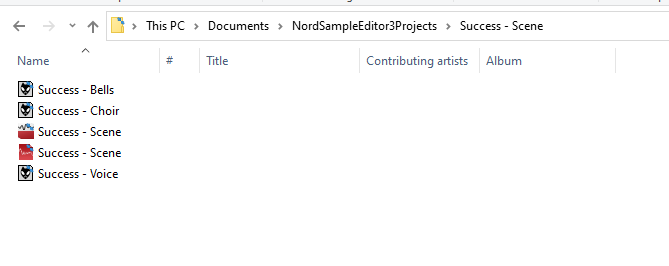
- Zones_1
- Zones_1.png (8.83 KiB) Viewed 1583 times
Re: RE: Two Samples Within One Preset
Posted: 21 Jun 2022, 22:34
by monsterjazzlicks
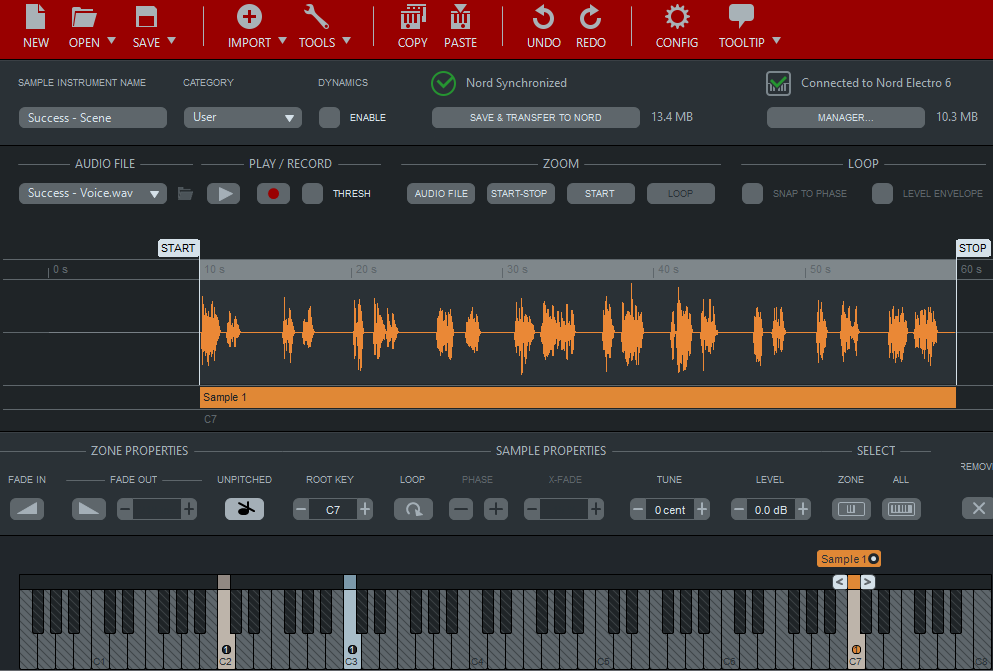
- Zones_2
- Zones_2.png (53.85 KiB) Viewed 1583 times
Re: RE: Two Samples Within One Preset
Posted: 21 Jun 2022, 23:45
by WannitBBBad
Glad it worked for you - I tried it as well just to check. Take care.
Re: RE: Two Samples Within One Preset
Posted: 21 Jun 2022, 23:51
by monsterjazzlicks
WannitBBBad wrote:Glad it worked for you - I tried it as well just to check. Take care.
Many thanks for the clarification!
Re: RE: Two Samples Within One Preset
Posted: 22 Jun 2022, 02:43
by monsterjazzlicks
WannitBBBad wrote:Glad it worked for you - I tried it as well just to check. Take care.
Do you "consolidate" your sample projects using the 'consolidate' option under the 'Save' tab, please?
Re: RE: Two Samples Within One Preset
Posted: 22 Jun 2022, 05:07
by WannitBBBad
monsterjazzlicks wrote:WannitBBBad wrote:Glad it worked for you - I tried it as well just to check. Take care.
Do you "consolidate" your sample projects using the 'consolidate' option under the 'Save' tab, please?
I do, it helps when putting together individual sample projects to send to others.